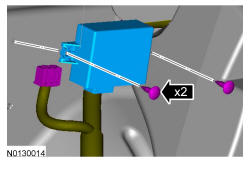
Parking Aid Module (PAM): Removal
- 1.
Upload the module configuration information from the PAM into the scan tool by following the instructions on the scan tool.
NOTE:
Module configuration is required when a new PAM is being installed.
- 3.
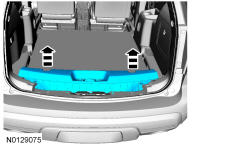
Remove the liftgate scuff plate trim panel.- 1.
Pull upward to release the retaining clips.
- 1.
NOTE:
To avoid damage to the liftgate scuff plate trim panel, remove any retaining clips from the body and attach them to the liftgate scuff plate trim panel before installing.
- 4.
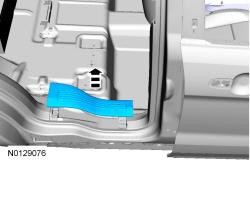
Remove the rear RH door scuff plate trim panel.- 1.
Pull upward on the scuff plate trim panel to release the retaining clips.
- 1.
NOTE:
To avoid damage to the scuff plate trim panel, remove any retaining clips from the body and attach them to the scuff plate trim panel before installing.
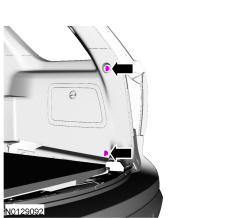
- 9.
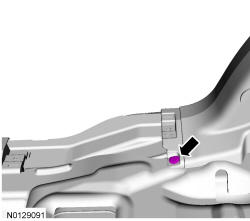
Position the RH quarter trim panel aside.- 1.
Pull the RH quarter trim panel toward the inside of the vehicle to release the retaining clips
- 1.
NOTE:
To avoid damage to the quarter trim panel, remove any retaining clips from the body and attach them to the quarter trim panel before installing.
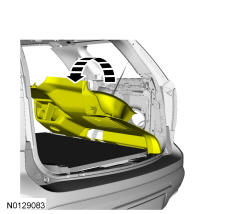
- 10.
Remove the 2 bolts and remove the PAM.- 1.
To install, tighten to 3 Nm (27 lb-in).
- 2.
Disconnect the electrical connector.
- 1.