LEMON Manuals: Even more car manuals for everyone: 1960-2025
Home >> Ford >> 2015 >> Explorer Limited, 3.5L Eng VIN 8, AWD >> Repair and Diagnosis >> Accessories & Equipment >> Infotainment >> Information And Entertainment Systems - Premium Plus >> Removal And Installation >> Universal Serial Bus (USB) Cable - Lower >> Removal

Universal Serial Bus (USB) Cable - Lower: Removal

WARNING: Before beginning any service procedure in this article, refer to Safety Warnings in SERVICE INFORMATION .
  1. 1.

    Position the RF seat fully rearward and fully reclined.

  1. 2.

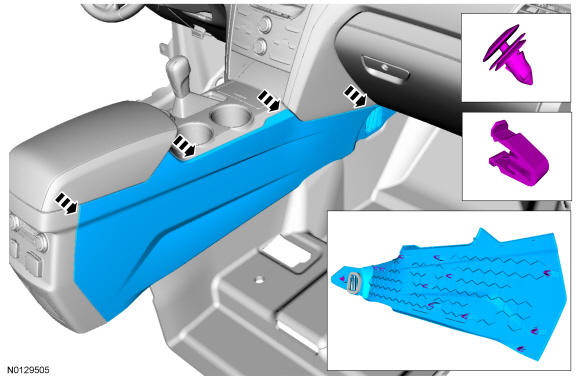
    Remove the RH floor console side trim panel.
    • Pull outward to release the 12 clips.
GFD37082Courtesy of FORD MOTOR COMPANY

  1. 3.

    Remove the LH and RH finish panel. REFER to Instrument Panel and Console

  1. 4.

    Pull the LH floor console side trim panels outward to release the top 3 retaining clips. REFER to Instrument Panel and Console
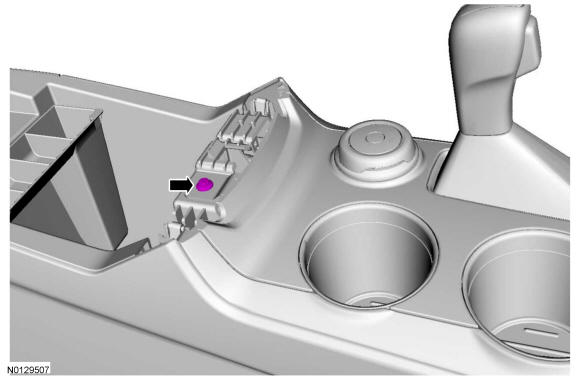
  1. 5.

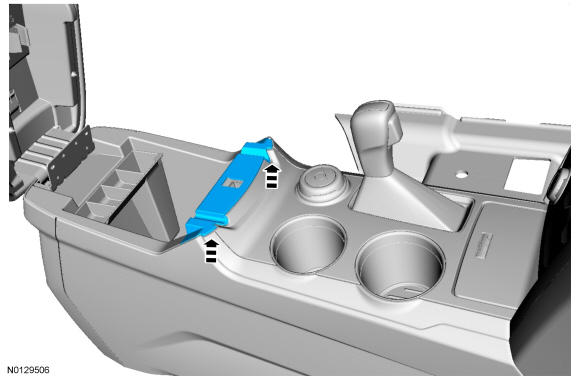
    Position the arm rest latch trim panel aside.
    • Pull upward to release the 2 clips.
GFD36598Courtesy of FORD MOTOR COMPANY

  1. 6.

    Remove the screw for the console upper finish panel.
GFD37071Courtesy of FORD MOTOR COMPANY

  1. 7.

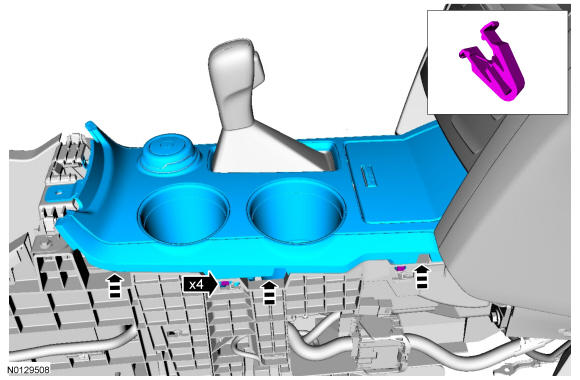
    Position the floor console selector lever to the full rearward position.

  1. 8.

    Position aside the console upper finish panel from the floor console.
    • Pull upward to release the clips starting at the rear and working forward.
GFD36600Courtesy of FORD MOTOR COMPANY

  1. 9.

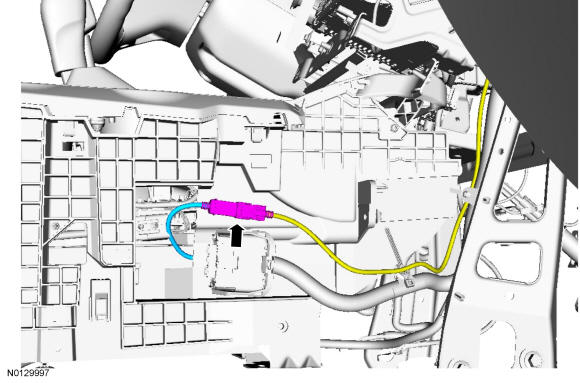
    Disconnect the lower USB cable from the upper Universal Serial Bus (USB) cable.
GFD37083Courtesy of FORD MOTOR COMPANY

  1. 10.

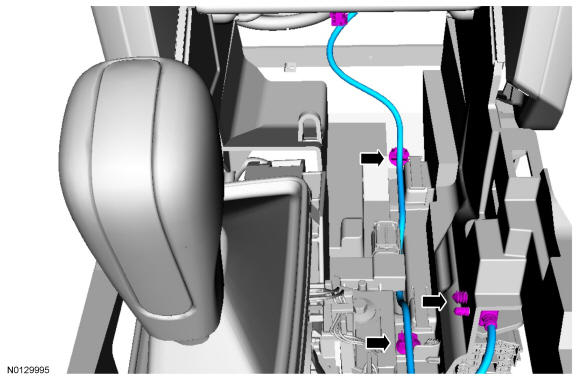
    Remove the lower USB cable.
    • Disconnect the lower USB cable from the media hub.
    • Disconnect the 3 pin-type retainers.
GFD37084Courtesy of FORD MOTOR COMPANY