LEMON Manuals: Even more car manuals for everyone: 1960-2025
Home >> Ford >> 2015 >> Explorer Limited, 3.5L Eng VIN 8, AWD >> Repair and Diagnosis (Single Page) >> Accessories & Equipment >> Entertainment Systems >> Information And Entertainment Systems - Premium >> Removal And Installation >> Antenna Cable - Rear >> Removal

Antenna Cable - Rear: Removal

WARNING: Before beginning any service procedure in this article, refer to SERVICE INFORMATION .

  1. 1.

    Remove the LH and RH D-pillar trim panel. REFER to Interior Trim and Ornamentation
  1. 2.

    Remove the LH and RH C-pillar trim panel. REFER to Interior Trim and Ornamentation - With Inflatable Safety Belts or REFER to Interior Trim and Ornamentation - Without Inflatable Safety Belts. .
  1. 3.

    Remove the RH front door scuff plate trim panel. REFER to Interior Trim and Ornamentation

  1. 4.

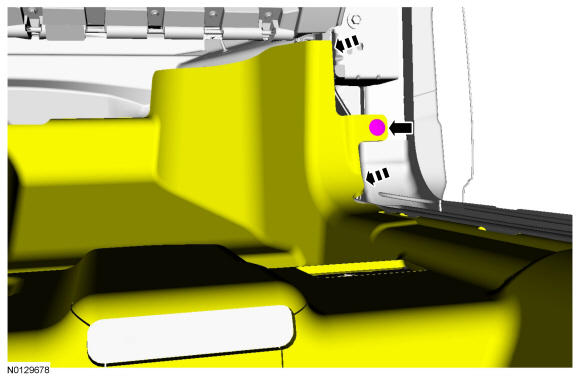
    Remove the pin-type retainer and position aside the carpet.
GFD37063Courtesy of FORD MOTOR COMPANY

  1. 5.

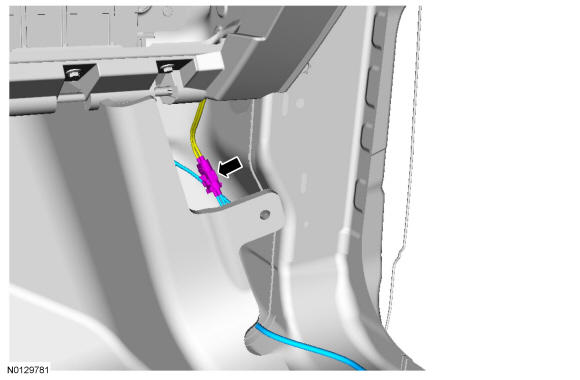
    Disconnect the rear antenna cable from the front antenna cable.
GFD37067Courtesy of FORD MOTOR COMPANY

  1. 6.

    Carefully lower the rear of the headliner.

  1. 7.

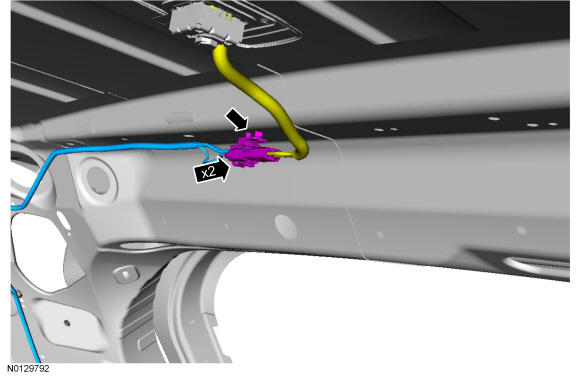
    Disconnect the rear antenna cable connectors and pin-type retainer.
GFD37068Courtesy of FORD MOTOR COMPANY

  1. 8.

    Cut the ends of the existing cable and tape them back to prevent NVH concerns.