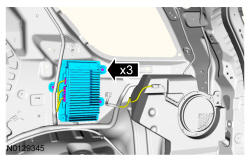
Audio Digital Signal Processing (DSP) Module: Removal
- 1.
Upload the Audio DSP Module configuration information to the scan tool by following the scan tool on screen instructions.
NOTE:
If installing a new module, it is necessary to upload the module configuration information to the scan tool prior to removing the module. This information must be downloaded into the new module after installation.
- 3.
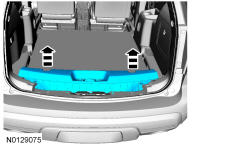
Remove the liftgate scuff plate trim panel.- Pull upward to release the retaining clips.
NOTE:
To avoid damage to the liftgate scuff plate trim panel, remove any retaining clips from the body and attach them to the liftgate scuff plate trim panel before installing.
- 4.
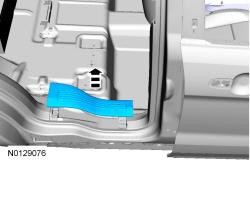
Remove the rear RH door scuff plate trim panel.- Pull upward on the scuff plate trim panel to release the retaining clips.
NOTE:
To avoid damage to the scuff plate trim panel, remove any retaining clips from the body and attach them to the scuff plate trim panel before installing.
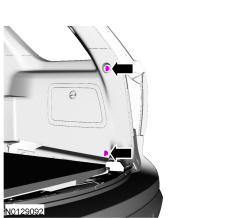
- 9.
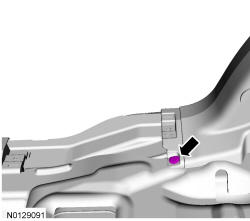
Position the RH quarter trim panel aside.- Pull the RH quarter trim panel toward the inside of the vehicle to release the retaining clips.
NOTE:
To avoid damage to the quarter trim panel, remove any retaining clips from the body and attach them to the quarter trim panel before installing.
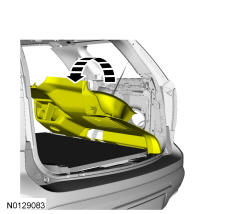
- 10.
Remove the 3 bracket screws and the audio DSP module.- Disconnect the electrical connectors.
- To install, tighten to 13 Nm (115 lb-in).