Removal And Installation: Installation
NOTE:
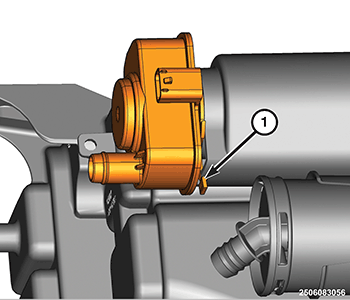
After installing Evaporative System Integrity Monitor (ESIM) switch, the electrical connector on the switch must be in the 3 O'clock position. This step must be done for proper ESIM switch operation.
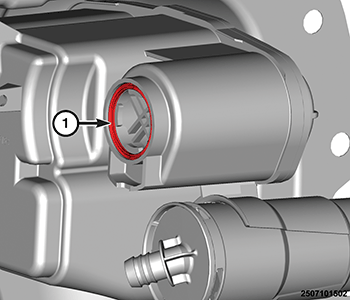
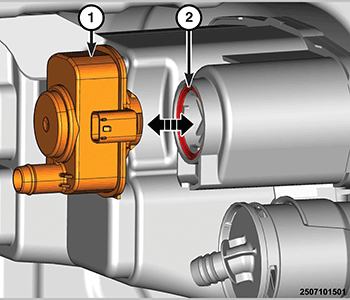
- Install a clean seal (1) into the groove of the carbon canister.
- Verify that the seal (2) is fully seated in the groove on the carbon canister (1).
- Position the ESIM (1) to the carbon canister
- Install the ESIM to the carbon canister by rotating the ESIM 45° until the lock tab (1) is latched in the 6 O'clock position.
- Perform a leak test using the EELD (Evaporative Emissions Leak Detector). Plug the EELD machine into the ESIM port.
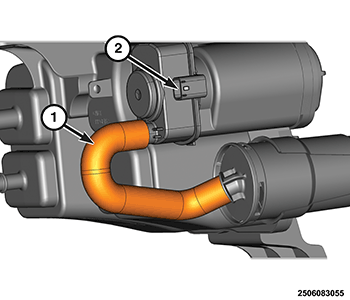
- Install the filter hose (1) to the ESIM, verifying that the hose is not pinched or twisted.
- Connect the wire harness connector (2) to ESIM.
- Use the scan tool to run the Forced Monitor Test to very system function.
- Install the left rear wheelhouse splash shield. Refer to SHIELD, SPLASH, REAR WHEELHOUSE, REMOVAL AND INSTALLATION .